Designing Personal Web Page Layout
Then do on the contrary. Create first the orange circle and inside of it - one small white circle.
Take a brush then of small size and with the color 7f7f7f and make two points, like in the picture.

Take the instrument
 and build a line between them, like in the picture.
Use another instrument now
 and draw a white, discontinuing stripe, like in the picture.
Take another instrument
 now and the white color and picture the same thing from below:
Take the instrument
with white color and represent the same form the picture below:
And several more, like it is demonstrated:

The last stage includes adding the text, applying the necessary type, size and color.



 then and make a figure of white color (holding Shift button, make several intersecting circles of different sizes, several times to get the same sum from the picture).




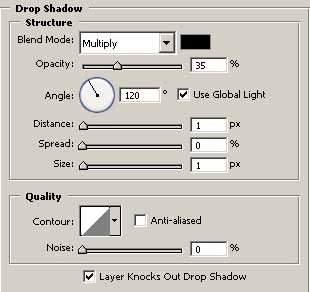
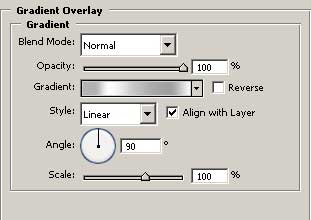
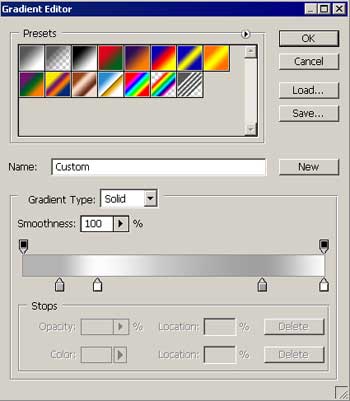





 . Now use the instrument
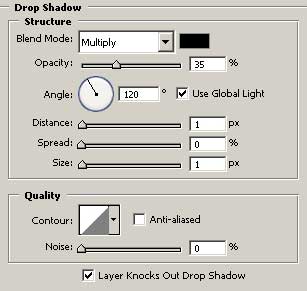
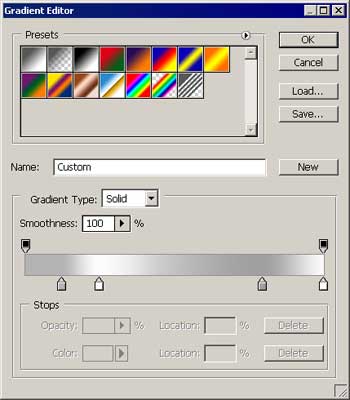
  to draw a grey short stripe. Set the adjustments in Blending Options, like it is demonstrated in the picture.